
AI security testing platform

Security
testing for
your apps
and code.

Use OFENS to assess web applications, APIs
and source code. Follow each test, review the
evidence and prepare reports for your team.

Set the scope and follow each test.

Vulnerabilities
discovered by OFENS.

Bing
Exchange
SharePoint
Confluence
OFENS SECURITY RESEARCH
01 / THE PLATFORMWEB, API AND SOURCE CODE TESTING

Three ways
to test.

Choose a web, API or source code assessment and review the findings in one place.

WEB, API AND SOURCE CODE
IN ONE WORKSPACE.

[ 01 ]

Test your
web apps.

Wireframe globe with latitude and longitude lines

Test a single host or include its subdomains. Provide test credentials to assess features that require an account.

[ 02 ]

Test
your APIs.

Dotted technical globe with an orbit

Upload an OpenAPI definition, Postman collection or HAR file. Follow the requests and review the evidence for each finding.
[ 03 ]

Review the
source code.

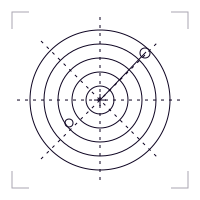
Concentric radar rings identifying priority signals

Connect a host and select a code folder. Review findings with references to the affected files, lines and code snippets.

3

WEB, API &
SOURCE CODE

2

EXACT HOST OR
SUBDOMAINS

3

MACOS, LINUX
& WINDOWS

2

HTML REPORTS
& CSV EXPORTS

Source code review requires a connected host with access to your code folder.

02 / HOW IT WORKSFROM SCOPE TO REPORT

Follow every
assessment.

SET THE SCOPE AND
REVIEW THE RESULTS.

TARGETS & SCOPEEXACT HOST OR SUBDOMAINS

DEFINE THE
SCOPE OF
YOUR TEST.

  • Add a target or select one from your inventory.
  • Test a single host or include its subdomains.
  • Review the scan history for each target.
OFENS dashboardEXAMPLE WORKSPACE JD
WORKSPACE / TARGETS
Target inventory
SAMPLE DATA
Targets6Registered inventory
Open findings28Across recorded scans
Assessments6Tracked scan history
Recent assessmentsFILTER   ≡
TARGETMODESCAN STATUS
◈ api.acme.exampleAPIRUNNING
◈ app.acme.exampleWEB APPCOMPLETED
◈ staging.acme.exampleDOMAINPAUSED
◈ code.acme.exampleSOURCECOMPLETED
SHOWING 4 OF 6 ASSESSMENTS←   1   2   3   →
FINDINGS TRENDLAST 30 DAYS ↗
28recorded findings

ILLUSTRATIVE WORKSPACE / SAMPLE ASSESSMENT DATA

Security specialist illustrationSecurity engineer illustrationProduct specialist illustration

GUIDANCE WHILE THE SCAN RUNS

Direct the
assessment.

03 / VULNERABILITY INTELLIGENCESELECTED PUBLIC SECURITY ADVISORIES

Understand
known vulnerabilities.

PUBLIC ADVISORIES AND
THEIR REPORTED IMPACT.

SELECTED PUBLIC CVEs / CVSS BASE SCORES / OFFICIAL SOURCES

04 / WORKSPACE GUIDESHELP WITH SETUP, FINDINGS AND REPORTS

A practical guide
to using OFENS.

See how to
set the scope,
follow a test
and review
the results.

Inside the OFENS workspace

AN INTRODUCTION TO OFENS
IN 24 SECONDS.

00:00 / 00:24
01 / THE PLATFORM IN MOTIONFROM SCOPING TO REPORTING. ↗
05 / YOUR ASSESSMENT TOOLKITINPUTS, ACCESS AND REPORT FORMATS

Test within
your environment.

Provide the target and access details.
Use a connector when a test needs access to your network.

01 /

Assessment
inputs

  • Domain or IP
  • OpenAPI
  • Postman
  • HAR files
02 /

Test access
& environment

  • Public access
  • Test credentials
  • Production
  • Staging
03 /

Connectors
& hosts

  • macOS
  • Linux
  • Windows
  • Online status
04 /

Evidence
& reports

  • HTTP traffic
  • Code snippets
  • HTML reports
  • CSV exports

START WITH YOUR FIRST ASSESSMENT

What would you
like to test?